Most B2B ad accounts I audit are optimising for the wrong thing. Google Ads and LinkedIn are told that every form fill is a win, so they go and find more form fills, including students, job seekers and vendors pitching you. This guide shows how to set up B2B lead tracking that follows a lead from the ad click to the CRM and back, so your campaigns learn from pipeline and revenue instead.
Why form fills lie in B2B
A form fill is a cheap signal. In a B2B sale with a buying committee and a cycle that runs for months, the gap between "someone filled a form" and "a qualified company entered pipeline" is huge.
Here is what usually hides inside a "lead" count:
- People looking for jobs or internships.
- Vendors and agencies trying to sell to you.
- Existing customers looking for support.
- Real prospects who are far too small, in the wrong country or the wrong industry.
- Duplicate submissions from the same person.
Now picture two campaigns. Campaign A delivers 80 leads at ₹1,500 each. Campaign B delivers 25 leads at ₹4,000 each. On a form fill dashboard, A looks like the hero. But if A produced two sales-qualified leads and B produced nine, B is the campaign you should be funding. Without proper B2B lead tracking, you will never see this, and neither will the bidding algorithm.
That second point is the real cost. Smart bidding in Google Ads and LinkedIn's conversion optimisation both learn from whatever you call a conversion. Feed them junk and they get very efficient at finding more junk.
The stage model I use
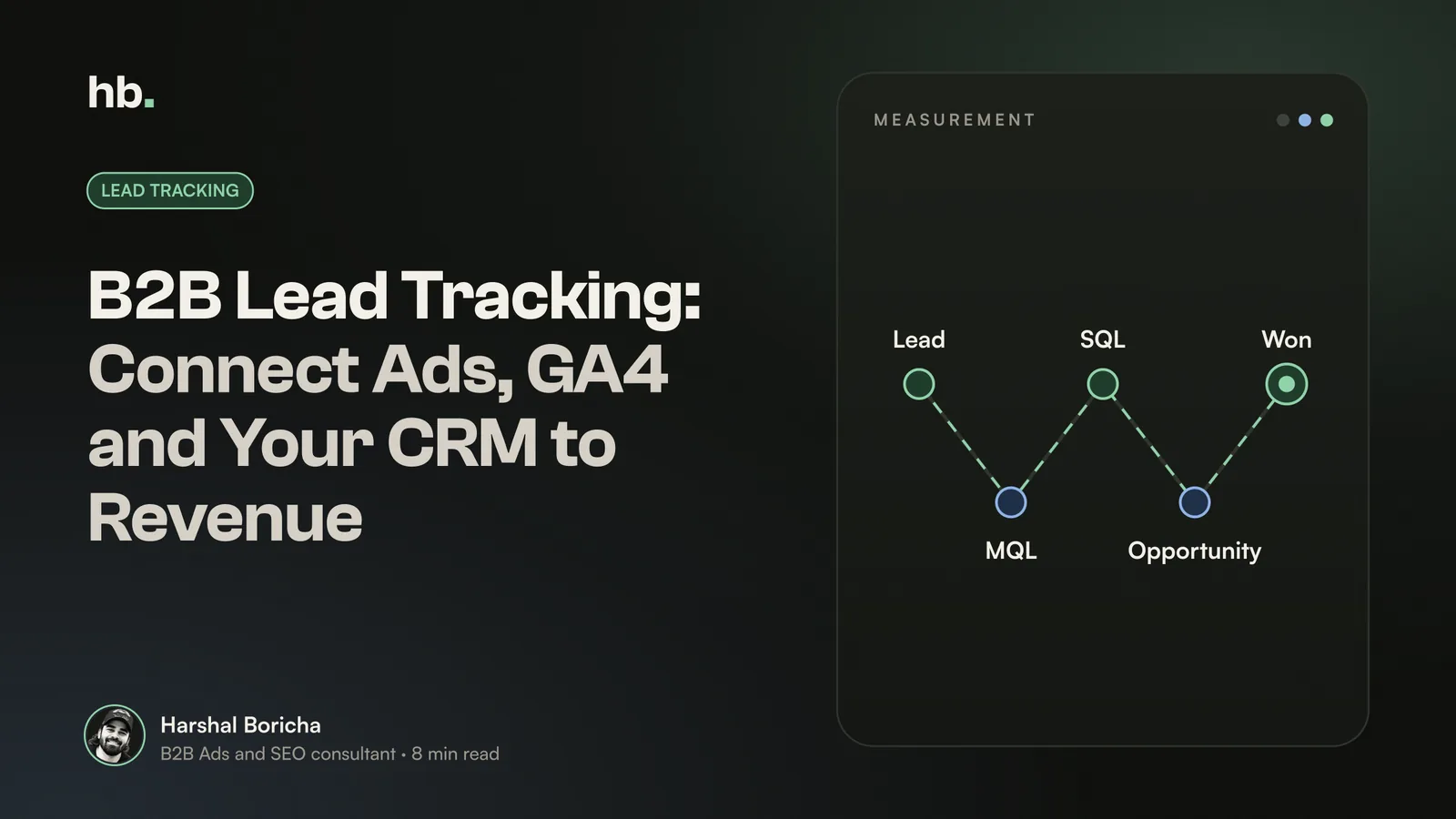
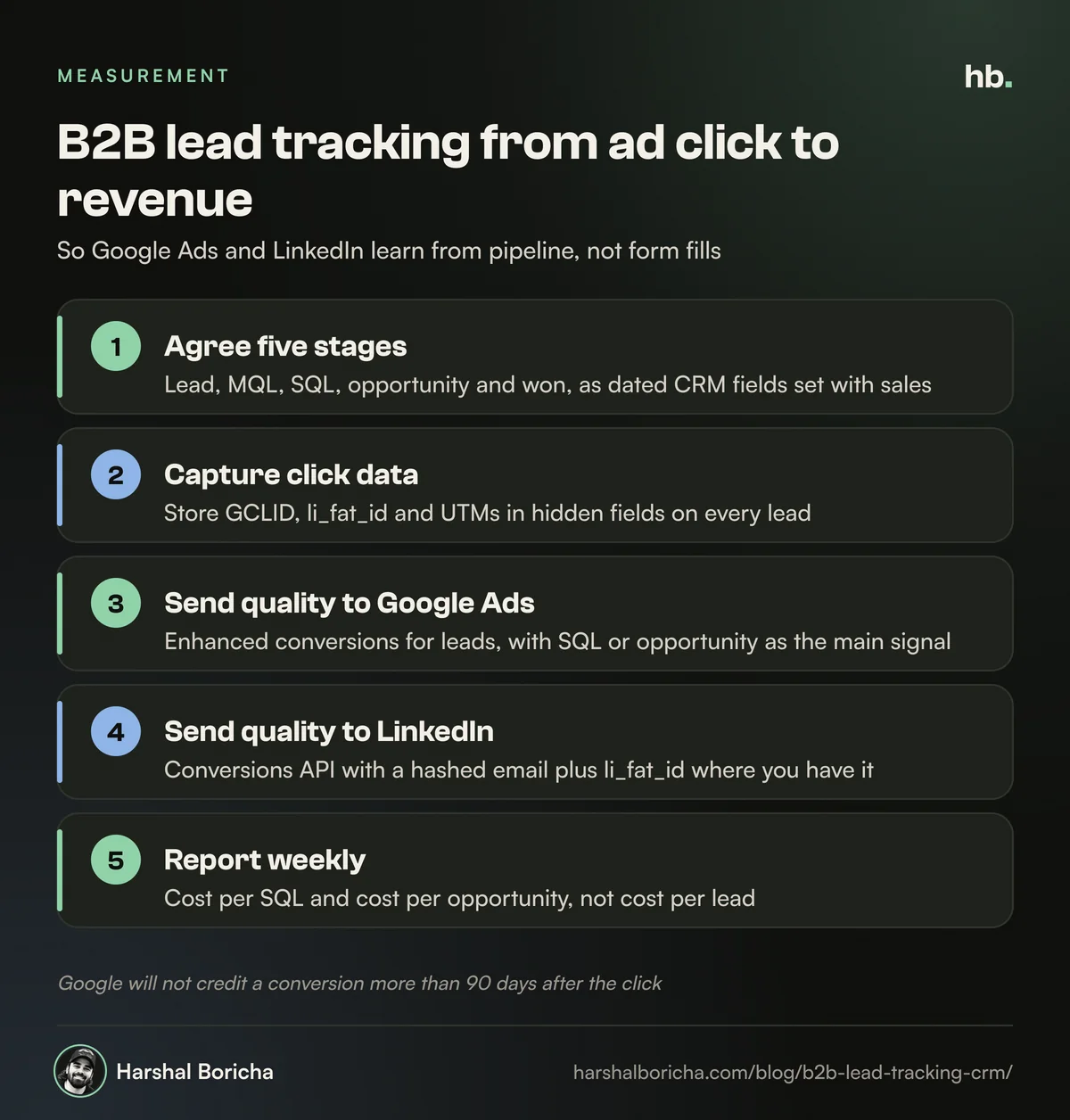
Before any B2B lead tracking work, agree on stage definitions with sales. Keep it simple. Five stages are enough for most B2B companies:
| Stage | Definition | Who decides | Send to ad platforms? |
|---|---|---|---|
| Lead | Anyone who submits a form, books a demo or calls | Automatic | Yes, as a secondary signal |
| MQL | Fits your ideal customer profile on company size, industry, geography and role | Marketing, using rules | Yes |
| SQL | Sales has spoken to them and confirmed a real need and timeline | Sales | Yes, often the primary signal |
| Opportunity | A deal is open with an estimated value | Sales | Yes, with value |
| Won | Contract signed | Sales | Yes, with actual value |
Two rules make this work. First, every stage must be a field in your CRM that changes on a clear date, not a vibe in a sales call. Second, sales must update it within a few days. If your reps update stages once a month, your ad platforms will be learning from stale data.
Google Analytics uses a similar ladder in its recommended events for lead generation: generate_lead, working_lead, qualify_lead, disqualify_lead, close_convert_lead and close_unconvert_lead. If you use GA4 for B2B reporting, mapping your stages to these event names keeps things tidy.
Step 1: capture the click data on every lead
Good B2B lead tracking depends on storing where each lead came from at the moment they convert. Miss this step and no integration can fix it later.
GCLID for Google Ads
Google's auto-tagging adds a click ID, the GCLID, to your landing page URL. Google states that auto-tagging is required if you want to track offline conversions. Check it is switched on, then:
- Store the GCLID in a first-party cookie when the visitor lands, because people often browse several pages before converting.
- Add a hidden field to every form and populate it from that cookie.
- Map that field to a GCLID property on the lead or contact record in your CRM.
li_fat_id for LinkedIn
LinkedIn has its own first-party click ID, li_fat_id, available when enhanced conversion tracking is on in Campaign Manager. Capture it the same way. LinkedIn's Conversions API FAQ recommends sending it together with a hashed email for the best match.
UTMs for everything else
Store utm_source, utm_medium, utm_campaign and utm_content in hidden fields too. This gives you a readable source on every record, even for channels without a click ID, and makes CRM reports usable without logging in to five ad platforms. Keep a naming convention and stick to it.
Phone and WhatsApp leads
Many Indian B2B buyers call or message rather than fill a form. Make sure those leads still get a source in the CRM, even if it is just "Google Ads, call" logged by the rep. An untagged lead is invisible to every report below.
Step 2: send lead quality back to Google Ads
Once the CRM knows which click each lead came from, you send stage changes back to Google Ads as offline conversions.
Enhanced conversions for leads
Google now recommends enhanced conversions for leads over GCLID-only imports. Your website tag sends a hashed version of the email or phone number when the form is submitted. Later, when the lead becomes an SQL or a customer, you upload the same hashed data and Google matches it to the ad interaction. GCLIDs still help, so send both.
Google's help pages also note a change for anyone building custom uploads: from 15 June 2026, offline conversion and enhanced conversions for leads uploads go through the Data Manager API rather than the Google Ads API. If a developer built your integration before then, check it is still working.
Connecting your CRM
The route depends on your CRM:
- HubSpot. HubSpot can sync lifecycle stage changes to Google Ads as conversion events using enhanced conversions, on Marketing Hub Starter and above. Note that lifecycle events carry a fixed value. HubSpot says passing actual deal amounts needs a custom workflow setup.
- Salesforce. Google's original Salesforce integration was a legacy product that stopped being supported on 31 May 2025, with Data Manager as the recommended replacement. You still need a GCLID field on both the Lead and Opportunity objects, and conversions fire when Lead Status or Opportunity Stage changes.
- Zoho CRM. Zoho's Google Ads integration captures the GCLID through Zoho web forms and pushes three conversions back once a day: leads or contacts created, lead qualification and closed-won sales with the deal amount.
Mind the 90-day window
Zoho's documentation notes that Google will not credit a conversion that happens more than 90 days after the click. For B2B with long cycles, this means "won" often lands too late to count. That is exactly why I make SQL or opportunity the primary bidding signal and treat "won" as a reporting signal.
Once the right signal is in, the rest of your Google Ads for B2B setup, from bidding to negative keywords, gets much easier to judge.
Step 3: send lead quality back to LinkedIn
LinkedIn's Conversions API is a server-to-server connection between your CRM data and Campaign Manager. A few points from LinkedIn's documentation matter most for B2B:
- Match keys. Send a SHA-256 hashed email (lowercased first) plus li_fat_id where you have it. More identifiers per event raise the chance of a match.
- Qualified lead optimisation. LinkedIn's use case guide says qualified leads should be shared within 30 days to count towards campaign optimisation, and sharing five or more within two weeks helps the learning phase.
- Stage-specific rules. LinkedIn suggests separate conversion rules for each funnel stage, such as pipeline and closed-won. Newer API versions also include dedicated MQL and SQL conversion types.
- Run it alongside the Insight Tag. LinkedIn deduplicates events sent from both, so you keep website tracking and add CRM events on top.
- Expect a lag. LinkedIn says complete data can take up to 72 hours to appear in reporting.
If you run LinkedIn Lead Gen Forms, the same principle applies. Pass the form response into your CRM, qualify it, and send the result back. My guide on LinkedIn Ads for B2B lead generation covers the campaign side.
What to report weekly from your B2B lead tracking
With tracking in place, the weekly report changes. I keep it to one page, by channel and by campaign:
- Spend.
- Leads, MQLs, SQLs, opportunities and won deals created this week.
- Cost per SQL and cost per opportunity. These are the numbers I manage to.
- Lead to SQL rate. A sudden drop usually means targeting drift or a spam problem.
- Pipeline value created from opportunities.
- Unmatched leads, meaning leads with no source. If this climbs above a small share, something in your capture is broken.
Form fill volume stays on the report, but at the bottom, as a health check. Once you have a few months of this data, comparisons like Google Ads vs LinkedIn Ads stop being opinion and become arithmetic. The same discipline also lets you see whether newer channels, such as AI search visibility, are adding qualified pipeline.
How I set this up for clients
When I take on B2B lead tracking for a client, I usually begin with an audit: what gets captured on each form, how stages are defined in the CRM, and what Google Ads and LinkedIn are currently told is a conversion. Then I fix capture first, agree the stage model with sales, and connect the CRM to each platform before changing any bidding.
It is unglamorous work, but pipeline is the number I hold myself to. When marketing is measured this way, budget conversations get easier, because every rupee can be traced to pipeline. If you want your ads to optimise for pipeline, see how I run B2B Google Ads and LinkedIn Ads, or book a call and we can look at your current setup together.
The short version
- Form fills are a weak signal in B2B; optimising for them buys you more junk.
- Capture GCLID, li_fat_id and UTMs on every lead, and store them in your CRM.
- Agree a five-stage model (lead, MQL, SQL, opportunity, won) with sales and keep it updated.
- Send stage changes back to Google Ads with enhanced conversions for leads, and to LinkedIn with the Conversions API.
- Report cost per SQL and cost per opportunity weekly, not cost per lead.
Frequently asked questions
What is offline conversion tracking in Google Ads?
Offline conversion tracking means sending events that happen after the form fill, such as a lead being qualified or a deal being won, back to Google Ads from your CRM. Google matches them to the original ad click using the GCLID or hashed customer data like email, so you can see which campaigns produce real pipeline and let bidding optimise for it.
What are enhanced conversions for leads?
Enhanced conversions for leads is Google's upgraded form of offline conversion import. Your website tag sends hashed form data, such as email, when someone submits a lead form. Later, when that lead progresses in your CRM, you upload the same hashed data and Google matches it to the ad interaction. Google recommends it over GCLID-only imports for accuracy and durability.
Can I send CRM lead stages to LinkedIn Ads?
Yes. LinkedIn's Conversions API lets you send CRM events server to server, including qualified lead events. LinkedIn recommends sending a hashed email together with its first-party click ID, li_fat_id, for the best match rate. It also suggests separate conversion rules for each funnel stage, such as pipeline and closed-won.
Does HubSpot sync lifecycle stages to Google Ads?
Yes. HubSpot can create conversion events that send lifecycle stage changes to Google Ads using enhanced conversions. It needs Marketing Hub Starter, Professional or Enterprise and a connected Google Ads account. Lifecycle events carry a fixed value, so sending real deal revenue needs a custom setup with workflows and Google's offline conversion upload.
What should a B2B marketing team report weekly?
Report spend, leads, MQLs, SQLs, opportunities and won deals by channel and campaign, with cost per SQL and cost per opportunity as the main efficiency numbers. Add pipeline value created and lead to SQL rate. Keep form fill counts as a health check only, because they say little about revenue in B2B.
Sources
- About enhanced conversions for leads (Google Ads Help)
- About auto-tagging (Google Ads Help)
- About Google Ads Conversion Import for Salesforce, Legacy (Google Ads Help)
- [GA4] Recommended events (Google Analytics Help)
- Conversions FAQ (LinkedIn Marketing API, Microsoft Learn)
- Conversions API use cases (LinkedIn Marketing API, Microsoft Learn)
- Create and sync ad conversion events with your Google Ads account (HubSpot Knowledge Base)
- Pushing data to Google Ads (Zoho CRM Help)

B2B Ads and SEO consultant in Mumbai. Nine years in performance marketing, working only with B2B teams. More about me.
Want help with Google Ads?
B2B Google Ads management by Harshal Boricha. Search and Performance Max built around buying intent, qualified leads and pipeline, not cheap clicks.